
# Setup of Full Text Search and Audit Log Index Management
This guide will explain how to set up Elasticsearch for full text search, and how to manage the audit log index.
# Confirming your Elasticsearch connection
- If your Elasticsearch is properly connected, a search bar will appear in the GROWI top bar. You will also be able to check the connection status and index information on the Elasticsearch Management page of the management screen. This page consists of two sections: "Page Data Management" and "Audit Log Index Management".
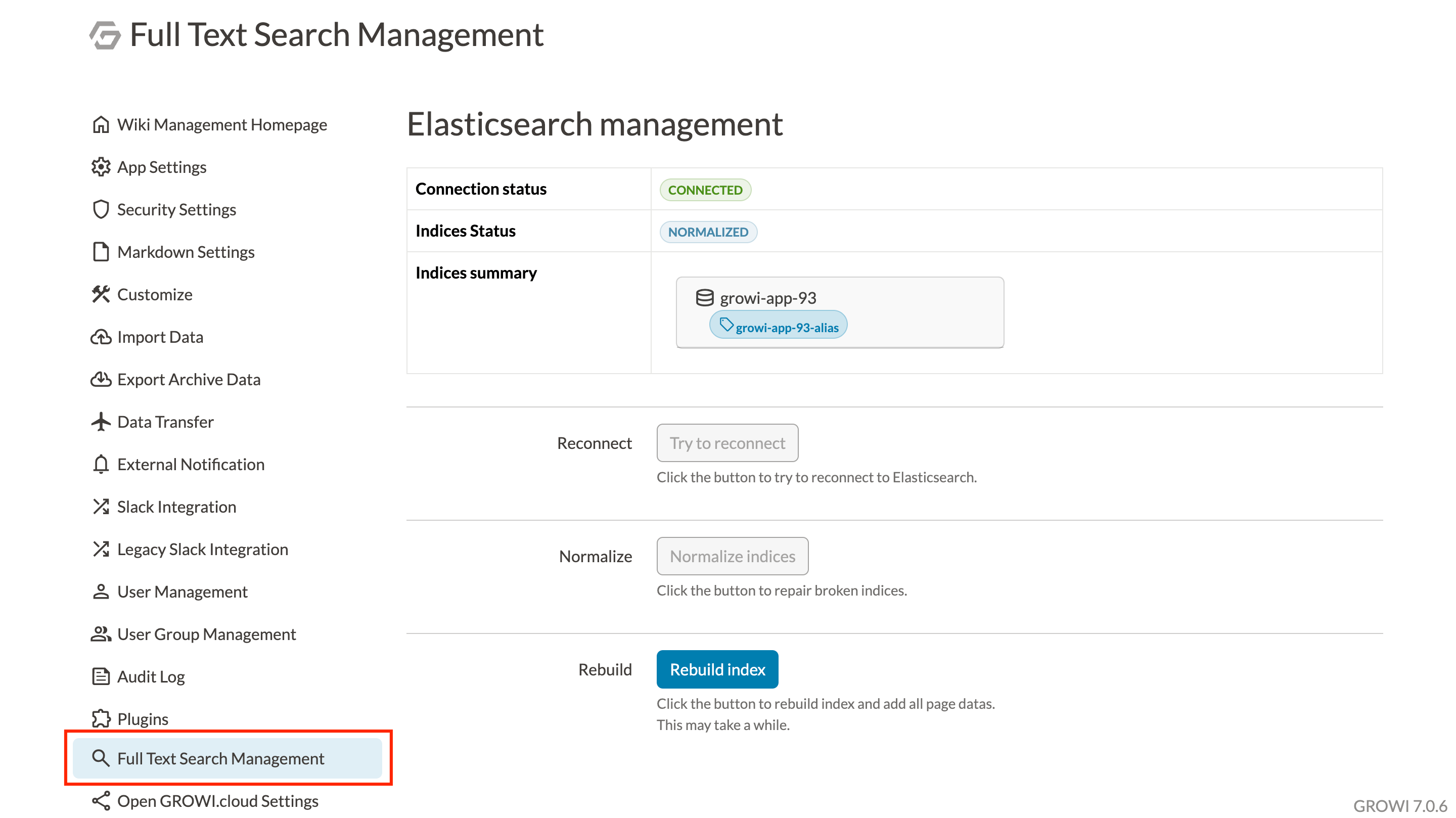
- If you see an error message indicating a connection failure, double-check your Elasticsearch status.
# Rebuilding the Page Data Index
In order to use Elasticsearch's search capabilities, data from the search database and data from MongoDB must first be combined to create searchable data. If the data has become inaccessible due to direct user action or some other interference, the search functionality will not be able to function properly.
In such cases, you may be able to fix the problem by rebuilding the index using the "Page Data Management" section of the Elasticsearch Management page.
You can rebuild the index by clicking the Rebuild page data index button. It may take a few seconds before the index rebuild is complete.
# Normalizing the Page Data Index
An index may become corrupted if the processing of the index is interrupted. One way this might occur is if the above rebuilding operation is interrupted. When doing an index rebuild, please wait until the rebuild is complete to avoid corrupting the data.
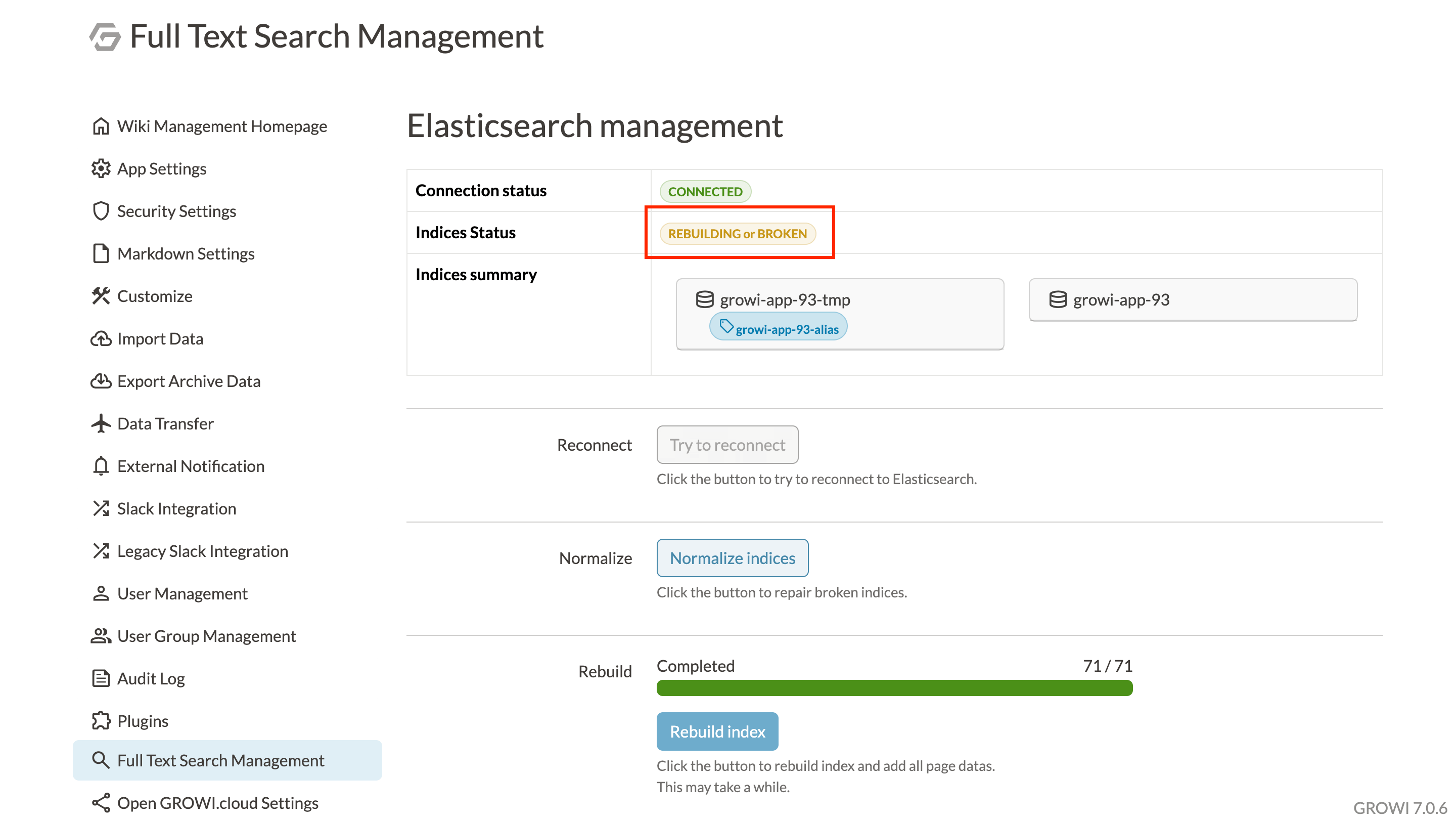
A corrupted index can be repaired and returned to usable status by clicking the Normalize page data index button as shown above.
# Audit Log Index Management
If the Audit Log feature is enabled, the "Audit Log Index Management" section of the Elasticsearch Management page lets you rebuild and normalize the audit log's index. These operations work the same way as the page data index operations described above.
If some audit log events failed to sync to Elasticsearch, a warning will be displayed in this section. In that case, please rebuild the index.